Every tool has its own total
Sales, finance and the store each report revenue, and the three numbers disagree in the meeting.

Albero BI connects your databases, sheets and apps, defines each metric once and keeps the dashboards fresh.
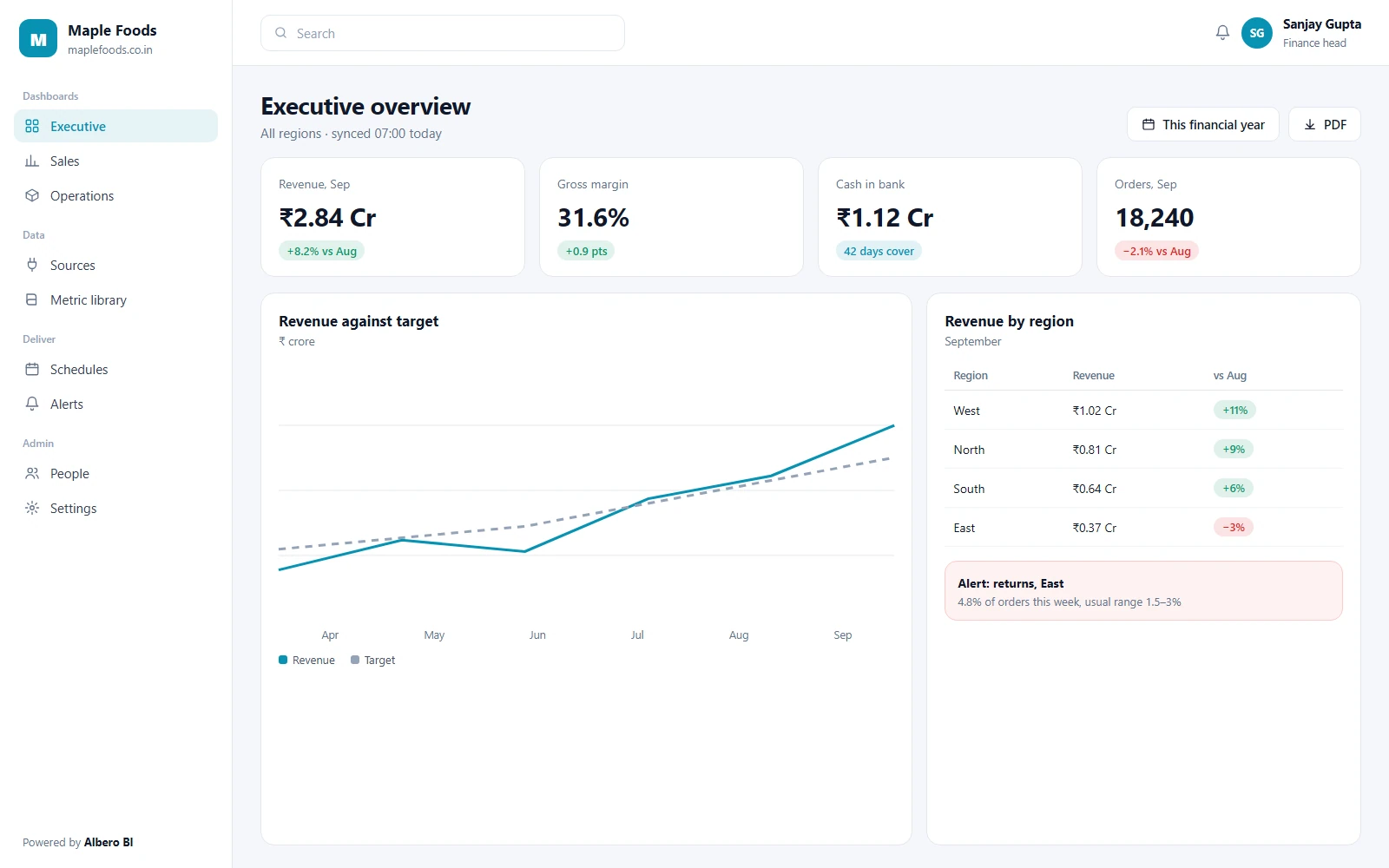
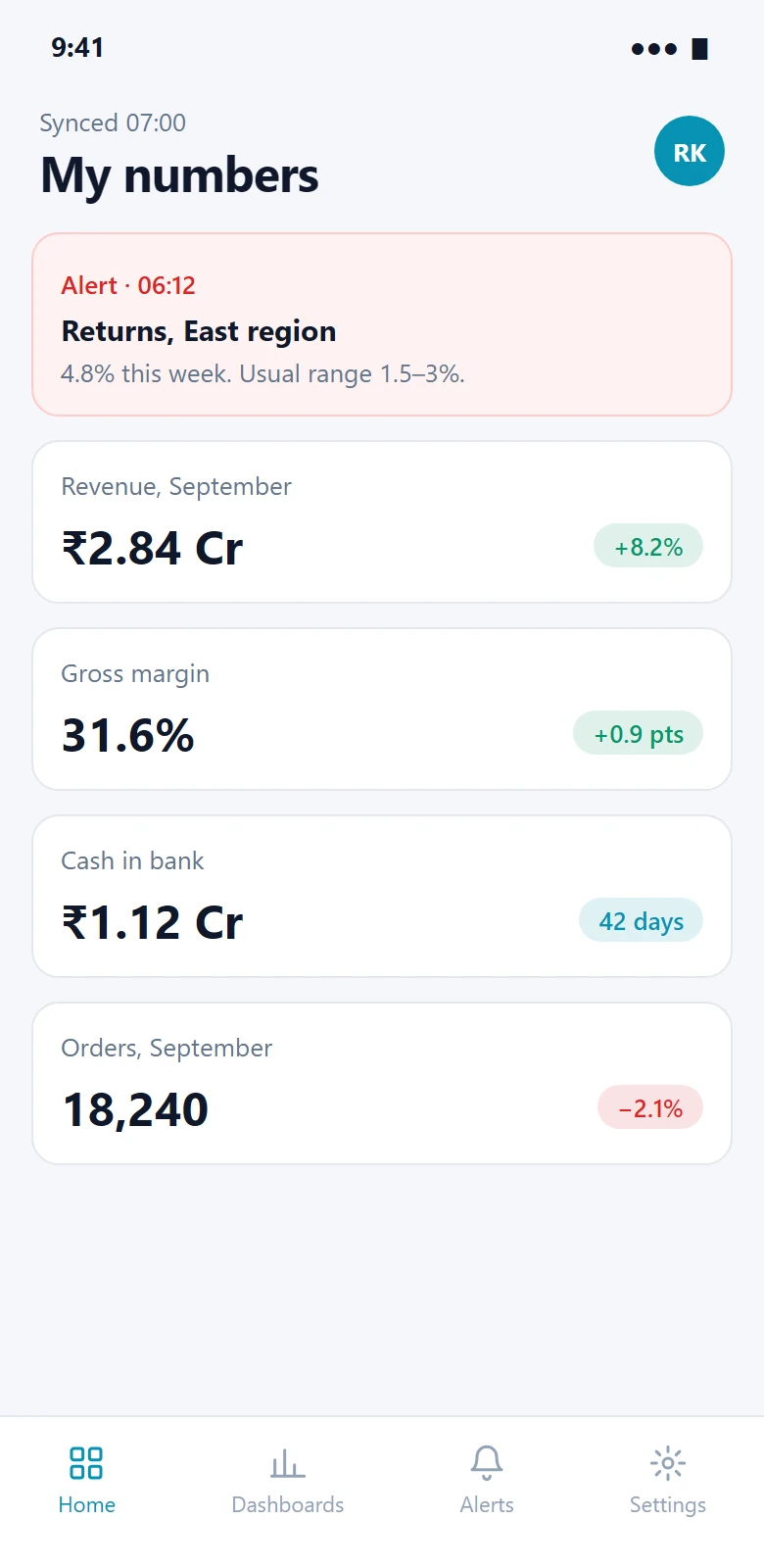
The executive dashboard, and the same numbers on a phone. Sample data.
Sales, finance and the store each report revenue, and the three numbers disagree in the meeting.
Someone exports four CSVs and rebuilds the same spreadsheet every week, and it is stale by Wednesday.
A drop in orders or a spike in refunds shows up at month-end, weeks after it started.
Connect, model, explore, act. Each metric is defined once in the library and every chart that uses it reads the same definition.
Bring the numbers in from where they already live.
4 modulesPostgreSQL, MySQL, MongoDB and BigQuery, read-only.
Google Sheets, Google Analytics, Stripe, Razorpay and other Albero products.
Drop in a file when a source has no connector.
Daily on Analyst, more often on Pro, with the last sync time shown on every chart.
Define a number once, so every team means the same thing by it.
2 modulesRevenue, margin, churn and the rest, each with one formula and an owner.
Ratios, growth rates and buckets, built from menus or a formula.
Charts people can question, not screenshots of charts.
4 modulesDrag-and-drop charts, tables and number tiles on a grid.
Click a bar to see the rows behind it.
Filter a whole dashboard by date, region or product in one place.
One screen of the numbers leadership asks for, refreshed on schedule.
The numbers come to you, instead of waiting to be opened.
6 modulesSet an expected range; get an email or Slack message when a metric leaves it.
Projections from a metric’s own history, shown with a range rather than one line.
A dashboard emailed as a PDF on the day and time you choose.
Any chart or table, exported as it is filtered.
Share a dashboard with a person, a team or a view-only link.
Read metric values from your own systems.
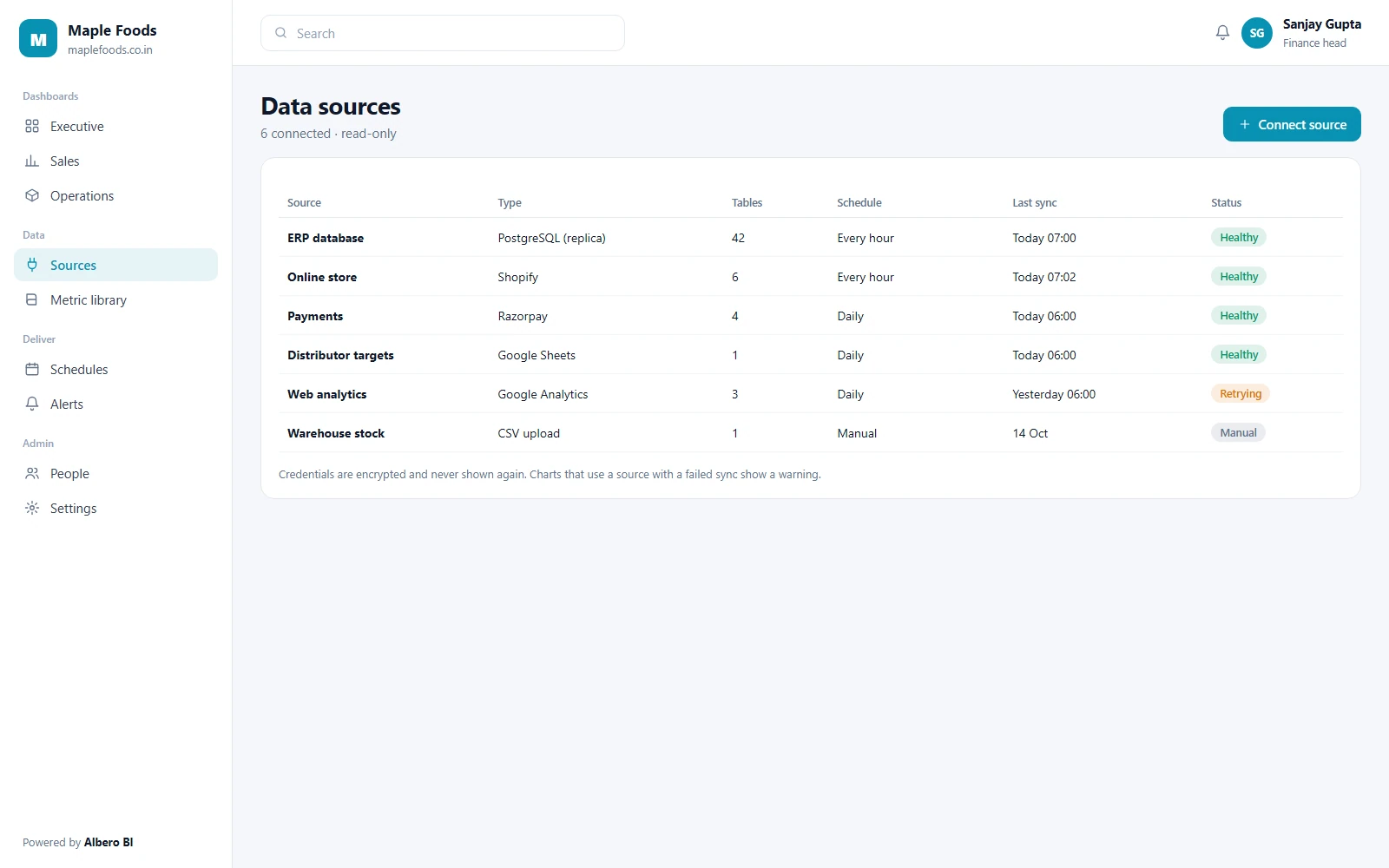
Screens show illustrative sample data.
iOS and Android apps in development
We are building native apps for reading dashboards and acting on alerts.
Until the apps are released, dashboards open in the browser on any phone. Release dates will be posted on this page and announced to customers by email.
Who can connect a source, who can change a metric and who can only read are separate decisions.
Users, billing, sources and credentials.
Models metrics, writes SQL and builds dashboards.
Builds and edits dashboards from existing metrics.
Reads the dashboards shared with them, and gets their reports.
| Capability | Admin | Analyst | Editor | Viewer |
|---|---|---|---|---|
| Connect sources & credentials | ||||
| Define metrics | ||||
| Write SQL | ||||
| Build dashboards | ||||
| Schedules & alerts | Own dashboards | Subscribe | ||
| View dashboards | Shared | |||
| Export | If allowed |
Scroll the table sideways on a narrow screen.
What every plan includes today. What is not built yet is listed underneath rather than left out.
Database connectors ask for read access. Albero BI never writes back to your source.
Source passwords and API keys are encrypted at rest and never shown again after saving.
Limit what a viewer sees by region, branch or team, on the same dashboard.
Mark personal data columns as hidden so they never reach a chart or an export.
Source, metric, dashboard and sharing changes are recorded with who and when.
Each company’s workspace is kept apart, and backed up every day.
We hold no security certification, and we will not imply one. If one of these is a requirement, ask us for its status before you sign.
Each feature shows how it reached its answer. Forecasts come with a range, never a single promised figure.
Projections from a metric’s own history, drawn as a band so the uncertainty is visible.
A metric moving outside its usual pattern is flagged with the dates and the size of the move.
Ask “orders by region last month” and get a chart built from the metric library, which you can open and edit.
A short written summary of what changed on a dashboard, for the weekly report.
Forecasting is on the Pro plan and above. Your data is not used to train models for anyone else.
Databases, sheets and the apps your business runs on. Data from other Albero products connects without credentials. This is the full list.
Read-only connection to your database or replica.
Read-only connection to your database or replica.
Collections flattened into tables you can chart.
Query your warehouse without copying it.
Any sheet as a source, re-read on every sync.
Traffic and conversions next to revenue.
Payments, refunds and subscriptions.
Payments and settlements for Indian businesses.
Orders, products and customers.
Deals and contacts for teams not yet on Albero CRM.
KPI alerts and scheduled reports posted to a channel.
Push a row in from any system that can make an HTTP call.
Every business ends up with its own. These are the first ones we set up with each kind of team.
Orders, average order value, returns and stock cover by store or channel.
Output, rejects and margin by line, against plan.
OPD volume, bed occupancy and billing, with patient fields hidden.
Admissions funnel, fee collection and attendance by batch.
Disbursements, collections and overdue buckets by branch.
Shipments, on-time rate and cost per delivery by route.
MRR, churn, activation and cohort retention.
Utilisation, project margin and receivables by client.
Start with the one report someone rebuilds by hand every week.
Read-only database access, a sheet, or the app that holds the numbers.
Agree the formula for each number with its owner, once, in the library.
Rebuild that weekly report as a dashboard, and schedule it to the people who used to receive it.
Every plan includes a free onboarding call. On Enterprise, a named engineer sets up sources and metrics with you.
Share dashboards with as many people as need them.
Dashboards for one team.
Billed annually
Choose AnalystIncludes
Company-wide reporting.
Billed annually
Choose ProEverything in Analyst, plus
Full control of your data.
Quoted for your setup
Talk to salesEverything in Pro, plus
Prices are per workspace in INR and exclude 18% GST. Annual billing is charged up front for the year.
Every plan includes read-only connections, encrypted credentials, role-based access and daily backups.
Including the ones where the honest answer is “not yet”.
The twelve listed above, plus CSV and Excel upload and a webhook for anything that can make an HTTP call. Data from other Albero products connects directly.
Sources sync daily on Analyst and more often on Pro. Every chart shows when its data was last synced.
No. Database connections are read-only, and we recommend pointing them at a replica.
No. Dashboards are built from the metric library with menus. Analysts can write SQL when they want to.
Native iOS and Android apps are in development. Until they are released, dashboards open in the browser on any phone.
Your workspace stays open until the end of the paid period. Your source data never left your systems, and dashboards and metric definitions can be exported.
Bring one report you rebuild by hand. We will show it built in Albero BI.