Messages in six places
Email, two WhatsApp numbers, Instagram and a phone. Nobody can say how many customers are waiting.

Albero Support brings email, WhatsApp, chat and social into one inbox, with an owner and a deadline on every ticket.
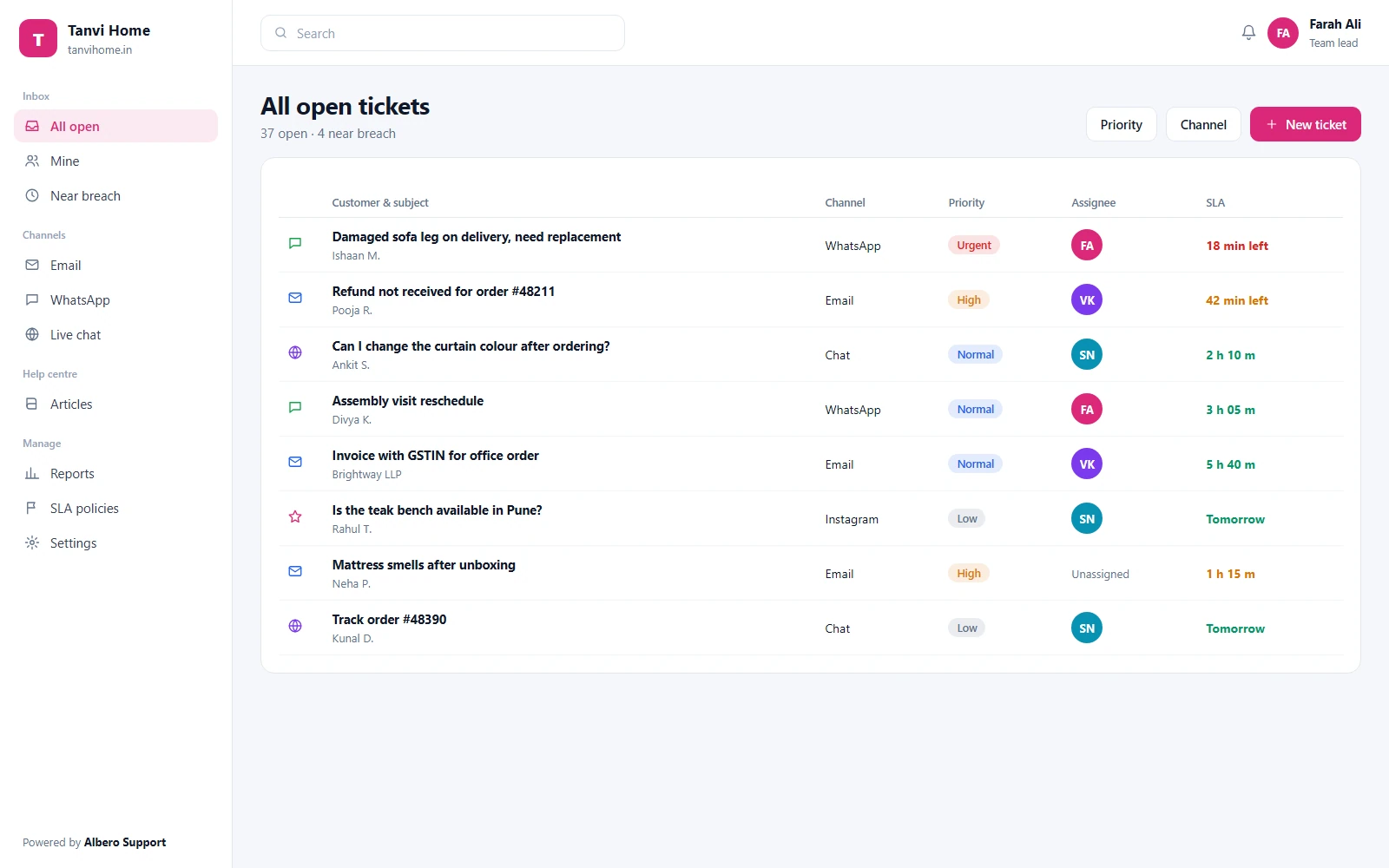
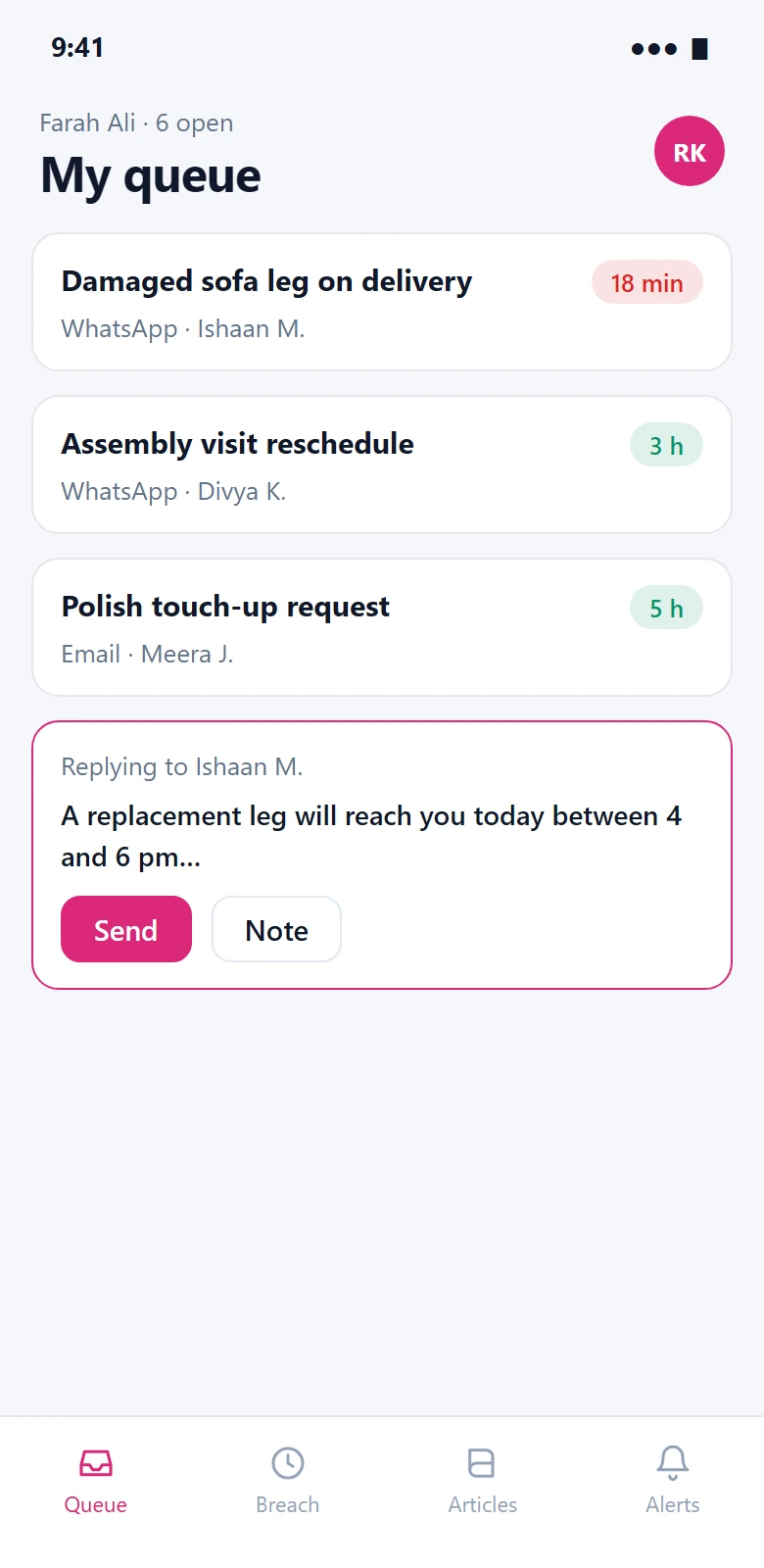
The shared inbox on the desk, and an agent’s queue on the phone. Sample data.
Email, two WhatsApp numbers, Instagram and a phone. Nobody can say how many customers are waiting.
A refund request sits for four days because it was nobody’s job, and the customer finds out first.
Agents rewrite the same reply all day, and customers cannot find it themselves.
Grouped by the job they do. Every channel creates the same kind of ticket, so routing, SLAs and reports work the same way for all of them.
Every way a customer writes in, arriving as one kind of ticket.
4 modulesYour support address forwards in; replies go out from it.
Messages become tickets; agents reply from the inbox.
A chat widget for your site, handed to a ticket when it needs follow-up.
Page messages and DMs in the same queue.
Each conversation owned by someone, from the first message to the fix.
7 modulesOne threaded queue for the team, with views per channel, team or priority.
Status, priority, owner and due time on every conversation.
Order number, product or plan, captured on the ticket.
Two tickets about one problem become one; one ticket about two becomes two.
Round-robin, by skill or by channel, with load limits per agent.
Notes and @mentions on the ticket, never sent to the customer.
Saved answers with the customer’s name and details filled in.
Response times you set, measured, and escalated before they are missed.
3 modulesFirst-response and resolution targets per priority or customer tier.
A ticket near its SLA moves up a level and its lead is notified.
Tag, route, prioritise or close on conditions you set.
Fewer repeat questions, and a clear view of what customers ask about.
5 modulesA branded help centre on your domain, with articles your agents link to.
Customers see their tickets, reply and read help articles.
A one-question survey after resolution, recorded against the ticket and the agent.
Volume by channel, SLA met rate, resolution time and CSAT by agent.
Who changed a ticket, a rule or a setting, and when.
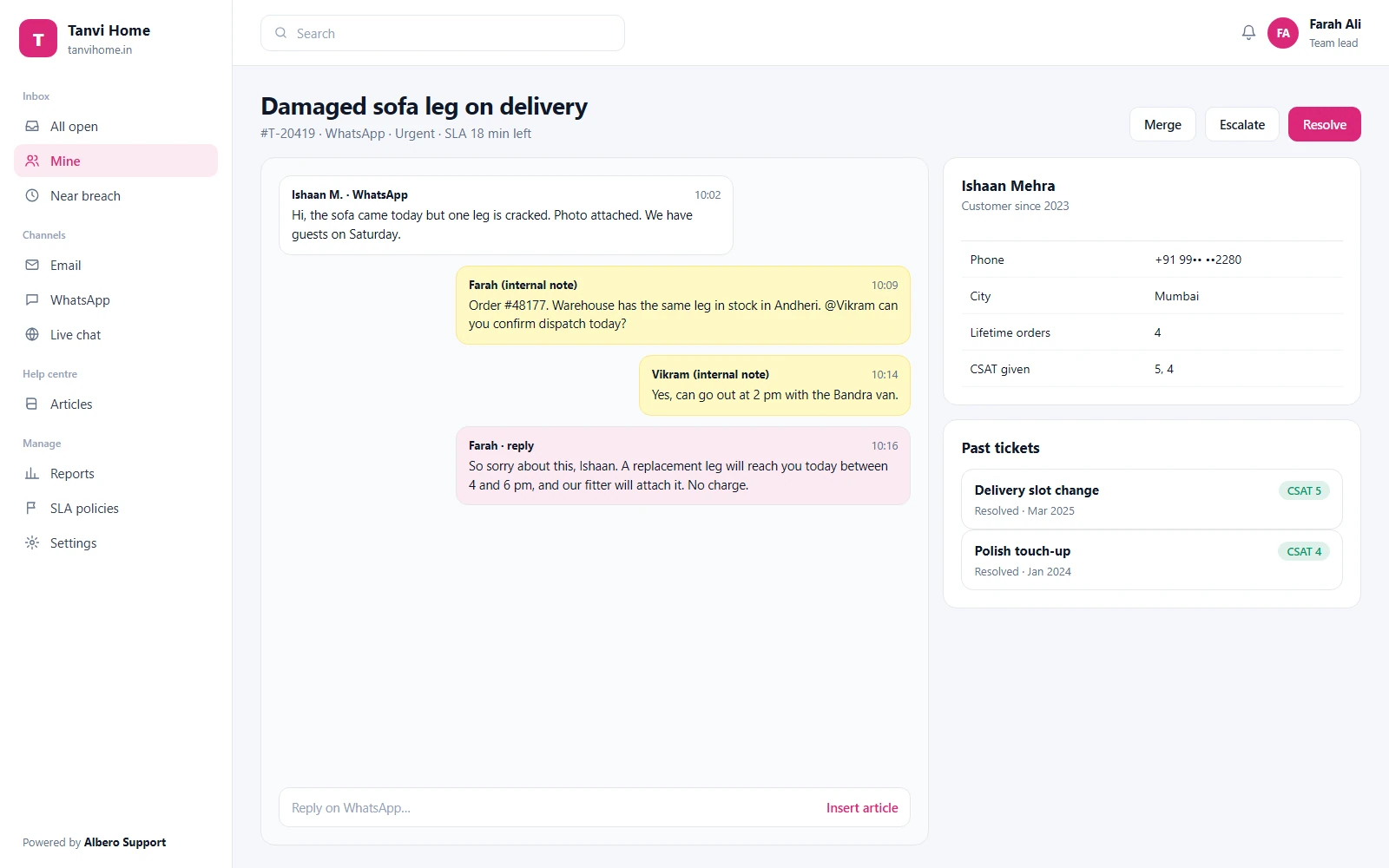
Screens show illustrative sample data.
iOS and Android apps in development
We are building native apps so urgent tickets do not wait for a laptop.
Until the apps are released, Albero Support works in the browser on any phone. Release dates will be posted on this page and announced to customers by email.
Agents work their queue, leads run the team, and customers see only their own tickets.
Channels, SLA policies, automation, users and integrations.
Runs a team’s queue, reassigns tickets and reads its reports.
Works assigned and team tickets, writes notes and help articles.
Someone outside support who can add internal notes, but not reply.
Sees and replies to their own tickets in the portal.
| Capability | Admin | Lead | Agent | Light | Customer |
|---|---|---|---|---|---|
| Channels & settings | |||||
| SLA policies & automation | View | ||||
| Reply to customers | Own tickets | ||||
| Internal notes | |||||
| Reassign tickets | Team | ||||
| Help centre articles | Draft | Read | |||
| Reports | Team | Own |
Scroll the table sideways on a narrow screen.
What every plan includes today. What is not built yet is listed underneath rather than left out.
Agents see their teams’ queues; customers see only their own tickets.
Traffic is encrypted in transit with TLS, and data is encrypted at rest.
Your workspace is backed up every day, and a backup can be restored on request.
Ticket, rule and settings changes are recorded with who made them and when.
Each company’s tickets are kept apart from every other customer’s.
Tickets, conversations and help articles export at any time.
We hold no security certification, and we will not imply one. If one of these is a requirement, ask us for its status before you sign.
Suggestions come from your own help articles and past replies. Nothing is sent to a customer without an agent.
A first draft from the help centre and similar solved tickets, edited by the agent before sending.
A suggested topic, priority and team on each new ticket, which the agent or a rule can accept.
A few lines summarising a long thread for whoever picks it up next.
Topics that keep coming in with no help article, listed for the knowledge-base owner.
Assistive features are on the Pro plan and above. Customer conversations are not used to train models for anyone else.
Channels, store and payment context, and team chat, connected to the same ticket. This is the full list.
Connect your support mailbox and reply from it.
Two-way WhatsApp conversations as tickets.
Facebook Page messages routed into the inbox.
Instagram DMs as tickets.
The customer’s orders beside their ticket.
Urgent tickets and SLA warnings posted to a channel.
The same alerts for teams that work in Teams.
Sign in with Google and add agents from your directory.
Payment status beside billing tickets.
Start a call from a ticket and log it there.
Any ticket event sent to an endpoint you own.
The queue is the same everywhere. The channels, fields and SLAs are not.
WhatsApp and Instagram first, Shopify orders on the ticket, return reasons as tags.
Email and chat, plan as a field, SLAs by plan tier.
Student and parent queries by batch, fee questions routed to accounts.
Appointment and billing queues, with patient details visible only to the team that needs them.
Complaint categories, escalation levels and an audit log for review.
Tracking number as a field and delivery issues routed by region.
Booking reference on the ticket and out-of-hours SLAs.
Employees as customers, categories by system, and a help centre behind sign-in.
Connect one channel first, and add the rest once the team is comfortable.
Forward your support email, connect WhatsApp Business and add the chat widget.
Teams, assignment rules, priorities and response targets.
Add agents with their roles, publish the first help articles and go live.
Every plan includes a free onboarding call. Open tickets from another helpdesk can be imported from CSV.
Customers, portal users and light agents are never billed as agents.
For growing support teams.
Billed annually
Choose SupportIncludes
Automation for advanced teams.
Billed annually
Choose ProEverything in Support, plus
Full-scale support operations.
Quoted for your setup
Talk to salesEverything in Pro, plus
Minimum 3 agents. Prices are in INR and exclude 18% GST. WhatsApp conversation charges are billed by Meta or your provider.
Every plan includes role-based access, encryption, daily backups and data export.
Including the ones where the honest answer is “not yet”.
Email, WhatsApp Business, live chat on your site, and Facebook and Instagram messages, all in one inbox.
Yes. We help you connect it during onboarding. Conversation charges from Meta are billed by Meta or your provider, not by us.
No. Drafts and suggestions go to an agent, who edits and sends them.
Yes. The customer portal shows their tickets and lets them reply, alongside your help articles.
Native iOS and Android apps are in development. Until they are released, Albero Support works in the browser on any phone.
Your workspace stays open until the end of the paid period. Export tickets and help articles before it closes.
See it with your own channels connected and a week of sample tickets.